AI Vocal Remover
An AI vocal remover separates a song into its vocals and its instrumental — so you can mute the singing for a karaoke track, or keep just the vocals for an acapella. Riffloop runs on your own device, free to get started, then lets you loop, slow it down and change the key to practice.
Free to get started — remove vocals and practice free; exporting your tracks and higher usage limits need Pro.
Last updated · maintained by the Riffloop team
Remove Vocals From a Song in 3 Steps
To remove the vocals from a song, add the track to Riffloop, let the AI split it into a vocal and an instrumental on your device, then mute the vocal for a karaoke track — or keep only the vocal for an acapella.
- Add your song. Drop in an audio file — MP3, WAV, M4A, FLAC or OGG.
- Let the AI separate it. Riffloop splits the song into vocals and instrumental, right on your own device.
- Keep the part you want. Mute the vocal for karaoke, or keep only the vocal for an acapella — then loop, slow down or change key to practice.
What Is an AI Vocal Remover?
An AI vocal remover is a tool that uses AI to separate a finished song into two tracks — the vocals and the instrumental backing — so you can keep whichever one you need.
Older "vocal removers" worked by cancelling whatever was panned to the centre of the mix. That also tore out the bass and kick drum, and it failed the moment a song wasn't perfectly centred. A modern AI vocal remover is different: it was trained on a huge amount of real music to recognise what a human voice looks like inside a mix, so it can lift the vocal out on its own and leave a far cleaner instrumental behind.
With Riffloop the whole thing happens on your own device — your song is never uploaded to a server. And because it's the same engine behind the full stem splitter, the vocal you remove is a clean, separate track you can also keep and use on its own.
How to Remove Vocals From a Song
Removing vocals takes three steps and about a minute — no editing skill required.
- Add your song. Drop an audio file into Riffloop, or open the Studio and upload it. No link to paste, no rendering wait.
- Let the AI separate it. The song is split into a vocal track and an instrumental on your own device — nothing is uploaded.
- Keep the part you want. Mute the vocal and you have a karaoke instrumental; keep only the vocal and you have an acapella. Then play it back, loop the hard part, slow it down, or shift the key.
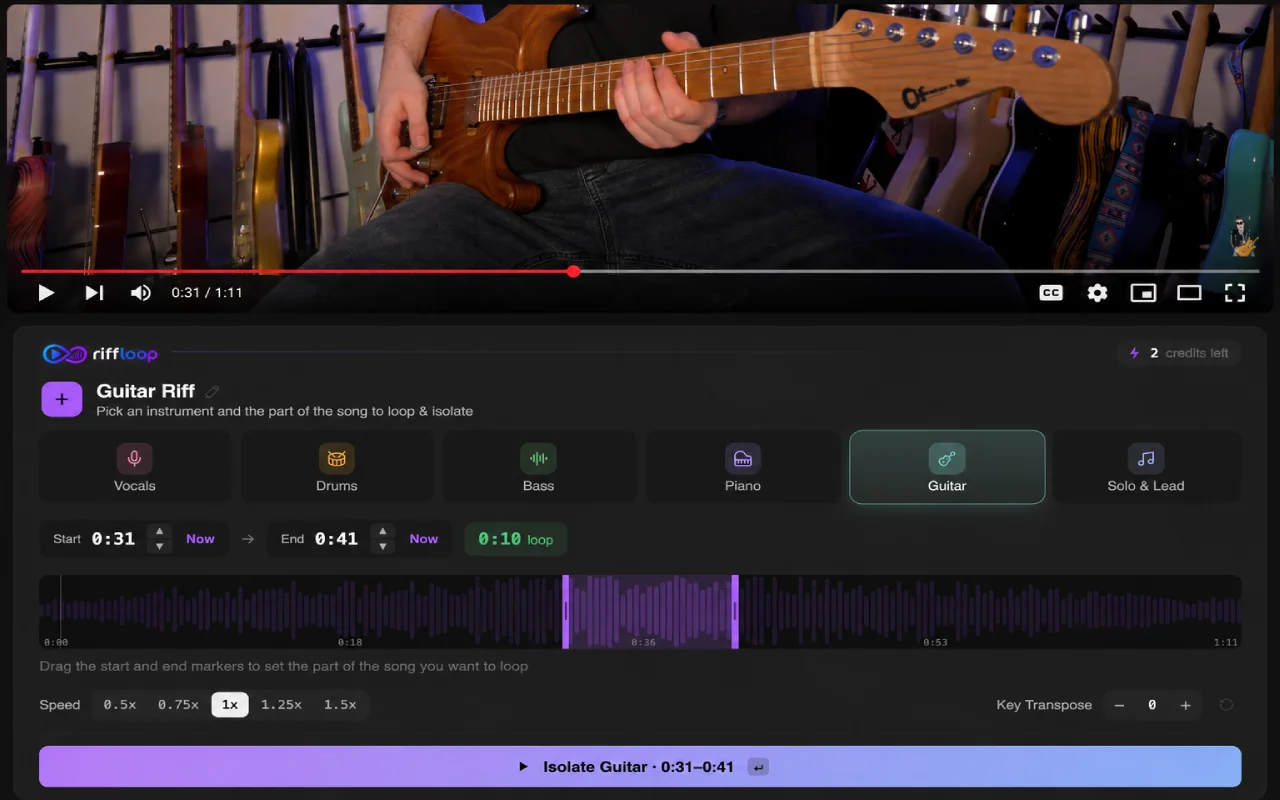
Practising from YouTube? The free Riffloop Chrome extension lets you mute the vocals on a song you're watching so you can sing or play along — right on the video.
Karaoke or Acapella — Keep Both
One separation gives you both sides of the song. Mute the vocal for an instrumental, or solo it for the vocal alone — use whichever the moment calls for.
- 🎤 Karaoke instrumental — drop the vocal and sing the song yourself.
- 🎙️ Clean acapella — keep only the vocal to study phrasing or harmonise.
- 🎚️ Backing track — an instrumental to play your own part over.
- 🎛️ Remix material — grab the acapella or instrumental to build something new.
Remove the Vocal, Then Actually Learn the Song
Most vocal removers stop at a download. Riffloop keeps going — the instrumental or acapella opens in a practice studio, so removing the vocal is the start of learning the song, not the end.
Once the vocal is out you can A-B loop the section you're working on, slow it down with the pitch kept clean, and change the key so the song sits in your range — all in the same place, with nothing to export and re-import. Sing over the instrumental, or learn the melody from the isolated vocal and bring it back up to tempo when it's yours.
AI Vocal Remover vs. AI Stem Splitter
A vocal remover does one job: it separates the vocals from the rest of the song, giving you a karaoke instrumental or a clean acapella. An AI stem splitter goes further and separates several parts — vocals, drums, bass, guitar and piano.
They run on the same on-device engine, so this page is the fast path when vocals-versus-instrumental is all you need. To do either right on a video, see the YouTube stem splitter, or change the key once the vocal is out. And if you need more than vocal removal — to isolate a single instrument or work with every part of the mix — use the Riffloop AI stem splitter.
Who Uses a Vocal Remover?
Anyone who needs a song without its vocal — or the vocal without its song. Especially:
How Good Is the Quality?
On clean, modern, well-produced songs the instrumental and acapella come out remarkably clear. They're an estimate of the original parts, not the studio master — so they aren't flawless, but for karaoke, practice and singing along they sound great.
The mix matters. Modern pop, R&B, hip-hop and electronic tracks separate cleanest. Dense or orchestral arrangements, heavy reverb, doubled or harmonised vocals, heavy auto-tune, and old or heavily compressed recordings are harder, and can leave a little vocal bleed or a watery, "warbling" sound in quiet moments. That's true of every AI vocal remover — and the single biggest thing you can do about it is start from the cleanest, highest-bitrate version of the song you have (lossless or 320 kbps separates noticeably better than a low-bitrate file).
Riffloop vs. a Typical Vocal Remover
| Feature | Typical vocal remover | Riffloop |
|---|---|---|
| Karaoke instrumental (vocals removed) | ✓ | ✓ |
| Clean acapella (vocals only) | ✓ | ✓ |
| Runs on your device — nothing uploaded | varies | ✓ |
| No upload caps or minute meter | ✗ | ✓ |
| A-B loop the result | ✗ | ✓ |
| Slow it down (pitch kept clean) | ✗ | ✓ |
| Change the key | ✗ | ✓ |
| Full multi-instrument split | varies | ✓ |
| Practice on YouTube (extension) | ✗ | ✓ |
| Price | Freemium | Free / Pro from $5.95/mo |
Frequently Asked Questions
What is an AI vocal remover and how does it work?
An AI vocal remover uses AI to separate a song into two tracks — the vocals and the instrumental backing. Older tools cancelled center-panned audio (which also gutted the bass and kick); modern AI was trained on real music to estimate the singing on its own, so it lifts the vocal far more cleanly. Riffloop runs on your own device, free to get started.
How do I remove the vocals from a song to make a karaoke track?
Add your song to Riffloop, let it separate into vocals and instrumental, then mute the vocal track. What's left is a clean karaoke instrumental you can sing over. With the Chrome extension you can do the same on a song you're watching on YouTube.
Can I extract just the vocals (an acapella) instead of removing them?
Yes. The same separation gives you both sides: mute the vocal for an instrumental, or keep only the vocal for an acapella. Use the acapella to study phrasing, harmonize, or build a remix.
Is the vocal remover free, and are there any limits?
Yes — removing vocals is free, with no subscription required to do it. A free account opens the Studio, where you mix, loop, slow down and save your work; free users have daily limits on new separations and saved loops. Pro is $5.95/month or $39/year for unlimited separations with no daily limits.
How good is the quality — will the instrumental be completely clean?
On clean, modern, well-produced songs the instrumental and acapella come out remarkably clear. They are an estimate, not the original studio tracks, so they are not flawless — but for karaoke, practice and singing along they sound great. Higher-quality source audio (lossless or 320 kbps) separates noticeably better than a low-bitrate file.
Which songs separate cleanly, and which ones don't?
Modern pop, R&B, hip-hop and electronic tracks separate cleanest. Dense or orchestral mixes, heavy reverb, doubled or harmonized vocals, heavy auto-tune, and old or heavily compressed recordings are harder and can leave faint vocal bleed or a watery sound. That's normal for every AI vocal remover, not a fault in your file.
Why is there faint vocal bleed or a watery, warbling sound — can I reduce it?
Separation is a genuinely hard problem, so quiet passages and reverb tails can leave a little vocal bleed or warble. Start from the cleanest, highest-bitrate version of the song you have; that's the biggest lever. The result still stays musical and useful for karaoke and practice.
What audio formats and file size are supported?
Most common formats — MP3, WAV, M4A, FLAC and OGG — up to 50 MB per track. If it's a song sitting on your computer, chances are Riffloop can take it apart.
Is my music private, or does it get uploaded to a server?
It's private. Your song is separated right on your own device and never leaves your computer — nothing is uploaded, stored, or seen by anyone but you. Many online vocal removers upload your audio to their servers to process it; Riffloop does not.
Do I need an account or to install anything?
To remove vocals from a file you can start straight away; a free sign-in only opens the Studio so you can mix, loop and save the result. To remove vocals from a song on YouTube, install the free Chrome extension. Nothing else to download.
What devices and browsers work best?
A desktop computer running Chrome or Edge gives the smoothest, fastest results. Separating a song is real work, and a proper machine handles it best; phones and some browsers may be slow or unsupported.
Can I loop, slow down or change the key of the instrumental afterward?
Yes — and that's the point. Once the vocals are out, you can A-B loop a section, slow it down with the pitch kept clean, and change the key to fit your voice. Removing the vocal is the start of practicing the song, not the end.
Is an AI vocal remover the same as an AI stem splitter?
No — they're related but not the same. A vocal remover splits a song into just two parts (vocals and instrumental) for karaoke or an acapella; an AI stem splitter separates several instruments — vocals, drums, bass, guitar and piano — so you can isolate any one of them. For karaoke or an acapella this page is all you need; to learn a specific instrument, use the stem splitter.
Can I remove vocals from a song on YouTube?
Yes — the Riffloop Chrome extension lets you mute the vocals on a song you're watching on YouTube so you can sing or play along, right on the video. It's for practising and playing along, not for downloading or ripping audio.
Is it legal to remove vocals from a song?
Removing vocals doesn't change a song's copyright. Personal use — karaoke at home, practice, study, singing along — is generally fine. Releasing, distributing or monetizing a karaoke track, acapella or remix needs permission from the rights holder, so treat the result like any other copyrighted recording.