YouTube Vocal Remover
Mute the singer for a karaoke track, or keep just the vocals for an acapella — right on the YouTube video.
A YouTube vocal remover uses AI separation to split a YouTube song into two parts — the vocals and the instrumental — so you get a karaoke track to sing over or an acapella to study. Riffloop does it on your device, right on the video, with nothing uploaded.
Free to get started — removing vocals and practising on the video are free; YouTube tracks can't be exported (for copyright reasons), and higher usage limits plus exporting your own uploads need Pro.
Last updated · maintained by the Riffloop team
Removing Vocals From YouTube, at a Glance
- 🎤 Mute the vocals for a karaoke instrumental
- 🎼 Or solo the vocals for an acapella
- ▶️ Works right on the YouTube video
- 🔒 Runs on your device — nothing uploaded
- 🚫 No separate download step
- 🔁 Then loop, slow down & change the key
- 🙂 Honest about quality — faint bleed can remain
- 💸 Free to get started — Pro from $5.95/mo
What Is a YouTube Vocal Remover?
A YouTube vocal remover splits a YouTube song into two parts — the vocals and the instrumental — using AI separation, so you can mute the singing for a karaoke track or keep just the vocals for an acapella. Riffloop does it right on the video, on your device, with nothing uploaded.
It's the simple two-stem job — vocals versus everything else. If you want a song split into all six parts (vocals, drums, bass, guitar, piano and more) from a YouTube link, that's the YouTube stem splitter; to remove vocals from a file you upload yourself, that's the AI vocal remover. Same on-device engine, just aimed at different jobs.
How to Remove Vocals From a YouTube Video
Open the song on YouTube with the Riffloop extension, let it separate the vocals from the instrumental on your device, then mute the vocals for karaoke (or solo them for an acapella). No download, no upload, no copying a link into another site.
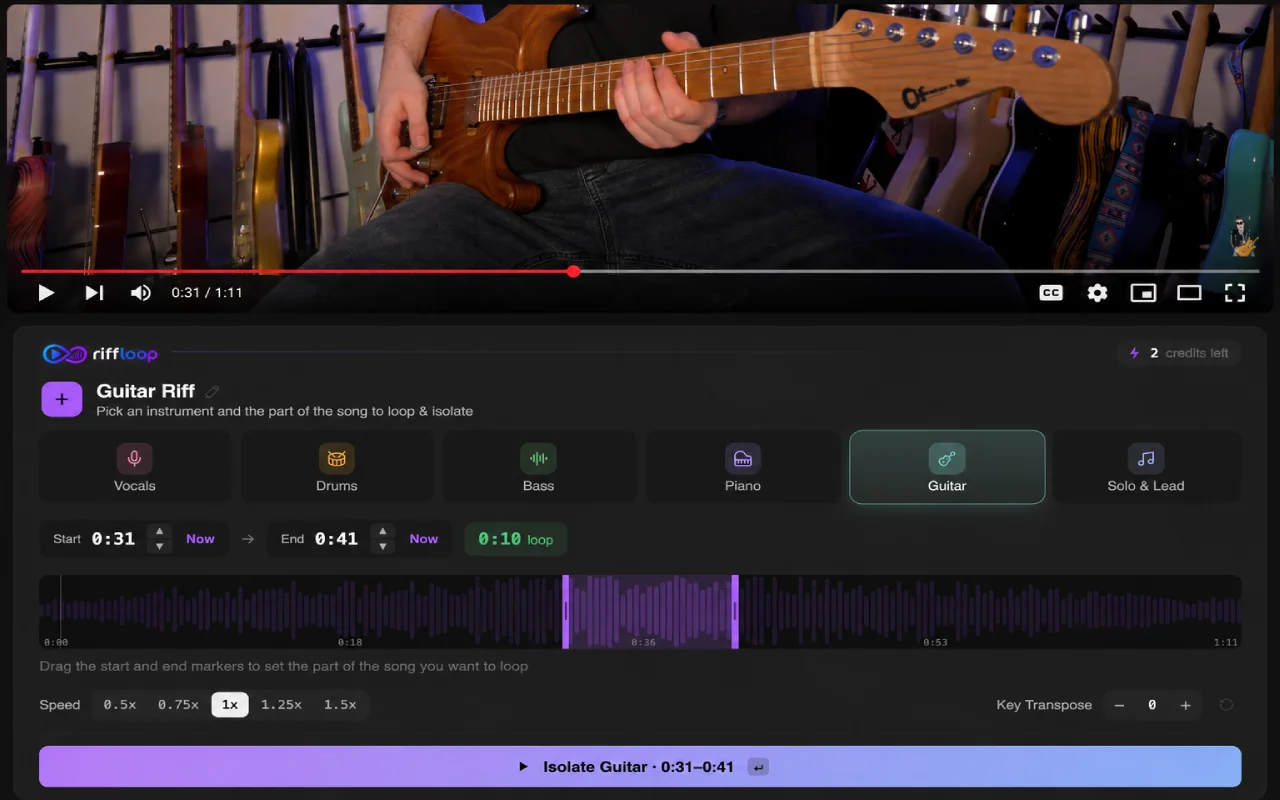
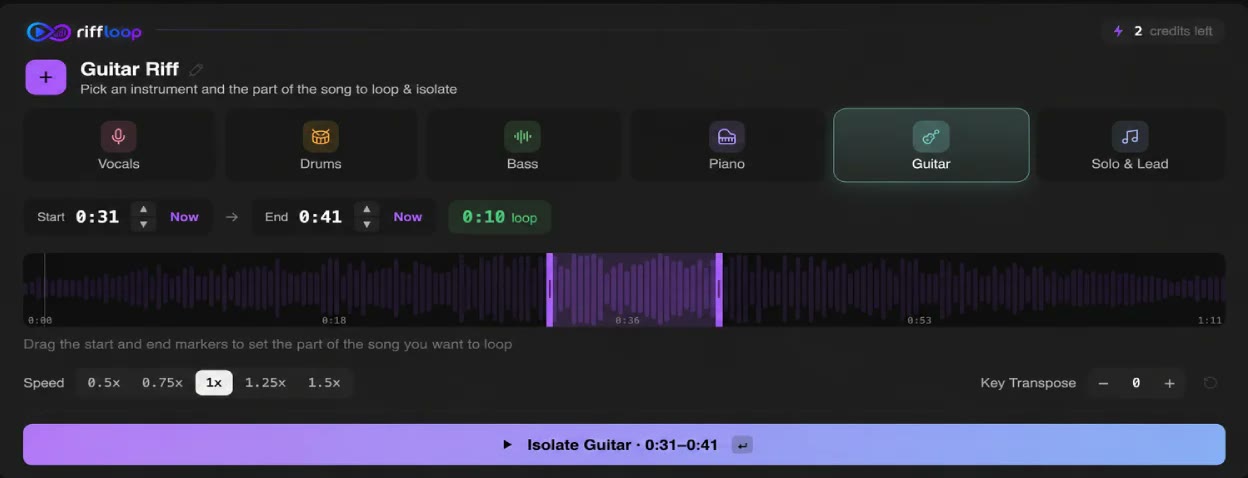
- Open the song on YouTube. With the free Riffloop Chrome extension, the Riffloop panel appears right under the video.
- Separate the song. AI separation splits it into vocals and instrumental on your device — nothing is uploaded.
- Mute the vocals for karaoke. What's left is your instrumental to sing over. Or solo the vocals to get an acapella.
- Practice with it. Loop the chorus, slow it down with the pitch kept clean, or change the key to fit your voice.
Karaoke vs Acapella — Which Mode Do You Want?
Both come from the same separation. Mute the vocals and you get a karaoke instrumental to sing over; solo the vocals and you get an acapella — just the voice — to study or remix.
🎤 Karaoke / instrumental
The song with the singing removed — the backing music you sing or play over. Great for karaoke nights, cover practice, worship teams and backing tracks. Change the key if it sits too high or low.
🎼 Acapella / vocals only
Just the vocal, with the music removed — for studying phrasing and harmonies, learning a melody by ear, or remixing over a new beat. Lead vocals come out cleanest; busy backing vocals can blur.
Right on the Video, on Your Device — Nothing Uploaded
Most "YouTube" vocal removers actually make you download the video first, or they fetch and process the audio on their own servers. Riffloop runs the separation on your own device, right on the video you're already watching — so your audio never leaves your machine and there's no upload-and-wait.
That means no copying a link into a third-party site, no account-gated cloud queue, and no minute meter. It's the practice-first way to do it: you're on the song already, so you separate, mute the vocals, and start singing — without a single file changing hands.
Is It Legal to Remove Vocals From a YouTube Song?
General guidance, not legal advice: removing vocals for personal practice, home karaoke or private study is something millions of people do and is widely treated as personal use. Removing the vocals does not remove the song's copyright.
The line is distribution. Releasing, posting or monetizing a karaoke instrumental, an acapella or a cover generally needs the rights holder's permission — often a mechanical license (to reproduce or distribute a cover) and/or a sync license (to pair it with video). Platforms can still detect the underlying music even with the vocals removed.
How Good Is the Quality? (Honest Limits)
AI separation is very good but not perfect. Vocals are the cleanest stem to remove, so karaoke tracks usually sound great — but faint vocal bleed or reverb tails can remain, especially on live, lo-fi or heavily processed recordings. Clean studio mixes separate best.
YouTube audio is also already compressed, so the separation works from that source rather than a lossless master. We'd rather tell you that than promise "studio-quality" like tools that can't actually deliver it. For the cleanest possible result, separate a lossless file you own in the Studio instead of pulling from YouTube.
- ✅ Cleanest — mainstream pop, rock, singer-songwriter studio mixes
- 🎚️ Harder — live, lo-fi, dense or heavily-effected tracks
- 🎯 Best source — a lossless file you own, in the Studio
Remove Vocals From YouTube on Mobile
The on-the-video experience is a desktop Chrome workflow, because on-device separation is real processing that runs best on a computer. On a phone or tablet you can still open the Studio in a browser and work with a file.
So the honest answer: for the YouTube-native, right-on-the-video flow, use desktop Chrome (or Edge, Brave, Arc or Opera). On mobile, the Studio is your path. Either way, nothing is uploaded — the work happens on your device.
Riffloop vs Download-Then-Edit (and Upload-a-Link Tools)
They can all give you a karaoke track or an acapella. The difference is the friction around it: Riffloop works on the video with nothing uploaded, and the result drops straight into a practice studio — no download, no cloud queue, no file juggling.
| Capability | Riffloop | Upload-a-link tools | Download-then-edit |
|---|---|---|---|
| Works right on the YouTube video | ✓ | varies (server-side) | ✗ |
| Runs on your device — nothing uploaded | ✓ | ✗ cloud | varies |
| No separate download step | ✓ | ✓ (claimed) | ✗ |
| Karaoke instrumental | ✓ | ✓ | ✓ |
| Clean acapella (vocals only) | ✓ | ✓ | ✓ |
| A-B loop the chorus to practice | ✓ | ✗ | ✗ |
| Slow it down (pitch kept clean) | ✓ | ✗ | ✗ |
| Change the key to fit your voice | ✓ | ✗ | ✗ |
| Honest about quality limits | ✓ | rarely (claims "studio-quality") | n/a |
| Price | Free / Pro from $5.95/mo | freemium (caps/meters) | free but manual |
Then Practice: Loop It, Slow It Down, Change the Key
Removing the vocals is the start, not the end. Because it all happens in one studio, the karaoke or acapella you just made is ready to actually practice with — no exporting, re-importing or app-hopping.
- 🔁 A-B loop the chorus or the hard line and drill it
- 🐢 Slow it down to learn a run — the pitch stays correct
- 🎚️ Change the key so the karaoke fits your voice
- 🎸 Split all six stems if you want more than vocals out
That's the whole idea behind Riffloop — turn any YouTube song into a practice studio, right under the video.
Free to Start, Pro When You Need More
Removing vocals from a YouTube song and practising with the result is free to get started. Pro adds higher daily limits and lets you export tracks you upload yourself.
| Remove vocals / make karaoke on the video | Free to get started |
|---|---|
| Isolate the vocals for an acapella | Free to get started |
| Loop, slow down & change the key | Free to get started |
| Export from YouTube content | Not available (copyright) |
| Export tracks you upload yourself | Pro |
| Higher daily usage limits | Pro |
| Pro pricing | $5.95/mo or $39/year · Lifetime $99 |
Frequently Asked Questions
How do I remove vocals from a YouTube video?
Open the song on YouTube with the Riffloop Chrome extension, let the AI separation split it into vocals and instrumental on your device, then mute the vocal track for a karaoke instrumental (or solo it for an acapella). Nothing is uploaded — it happens right on the video. You can also drop your own file into the Studio if the song isn't on YouTube.
Can I remove vocals from a YouTube video without downloading it first?
Yes. With the Riffloop extension you work right on the video you're already watching — no separate download step and no copying a link into another site. The separation runs on your device, so the audio never gets shipped off to a server. This is the main thing that sets it apart from download-then-upload tools.
How do I make a karaoke track from a YouTube song?
Separate the song into vocals and instrumental, then mute the vocals — what's left is your karaoke instrumental. Sing over it, and if the key is too high or low, change the key to fit your voice. It's built for practising and singing along, not for downloading or releasing the track.
What is the difference between karaoke and acapella?
A karaoke (instrumental) track is the song with the vocals removed — the music you sing over. An acapella is the opposite: just the vocals with the music removed, used to study phrasing or remix over a new beat. Riffloop gives you both from the same separation — mute the vocals for karaoke, solo them for an acapella.
Is it legal to remove vocals from a YouTube song?
General guidance, not legal advice: removing vocals for personal practice, home karaoke or private study is something millions of people do and is widely treated as personal use. Removing the vocals does not remove the song's copyright. Releasing, posting or monetizing the result needs permission from the rights holder. Riffloop is built for practising and playing along — it doesn't download or rip the audio.
Why are some vocals still audible after removal?
AI separation is very good but not perfect — vocals come out cleanest, while faint bleed or reverb tails can remain, especially on live, lo-fi or heavily processed recordings. Clean studio mixes separate best. We'd rather set honest expectations than promise a flawless result that no tool can actually deliver.
What quality can I expect from YouTube audio?
YouTube audio is already compressed, so the separation works from that source rather than a lossless master — clean mainstream studio tracks come out best, while dense or live recordings are harder. Vocals are the cleanest stem to remove; the instrumental can carry slight artifacts. For the cleanest possible result, separate a lossless file you own in the Studio instead.
Can I remove vocals from YouTube on my phone?
The on-the-video extension experience is a desktop Chrome workflow, since on-device separation is real processing that runs best on a computer. On mobile you can still open the Studio in a browser to work with a file. We're honest that desktop is where the YouTube-native experience shines.
Do I need an account or to install anything?
To remove vocals from a song on YouTube, add the free Riffloop Chrome extension — that's the only install. A free sign-in opens the Studio so you can mix, loop and re-key the result. There's nothing to download beyond the extension itself.
Can I download or export the karaoke or acapella from a YouTube song?
Practising in-app is free, but tracks made from YouTube content can't be exported, for copyright reasons — Riffloop is for playing and singing along on the video, not for ripping audio. Export is available on Pro for files you upload yourself, where you hold the rights. This keeps the YouTube workflow squarely in personal-practice territory.
Can I isolate just the vocals (get an acapella) from YouTube?
Yes — instead of muting the vocals, solo them to hear the vocal stem on its own. It's great for learning a melody, studying phrasing or practising harmonies. Expect the same honest limits: lead vocals isolate cleanest, while backing vocals and reverb can blur on busy mixes.
Can I get a copyright strike for removing vocals from a YouTube song?
Removing vocals doesn't strip a song's copyright, and platforms can still detect the underlying music. The risk lands when you post or monetize the result — personal, private practice is a different situation. Riffloop doesn't download or distribute anything; what you do with the result is your responsibility. When in doubt about releasing something, look into licensing or get the rights holder's permission.
How long does it take to remove vocals from a YouTube video?
Separation runs on your device and usually takes from under a minute to a few minutes, depending on the song length and your computer. There's no upload or download wait because nothing leaves your machine. Once it's done, the vocal and instrumental are ready to mute, solo, loop and re-key instantly.
Does a YouTube vocal remover work for any genre or song?
It works across genres, but clean studio mixes — most pop, rock and singer-songwriter tracks — separate best. Live recordings, lo-fi uploads, dense walls of sound and heavily effected vocals are the hardest and may leave more bleed. The cleaner the source, the cleaner the karaoke and acapella.
What's the difference between this and your stem splitter or vocal remover?
This page is about the simple two-stem job — vocals versus instrumental — done right on a YouTube video. To split a YouTube song into all six parts (vocals, drums, bass, guitar, piano and more), see the YouTube stem splitter. To remove vocals from a file you upload yourself, see the AI vocal remover. They share the same on-device engine, just aimed at different jobs.
Is the YouTube vocal remover free?
Yes, it's free to get started — removing vocals and practising on the video doesn't cost anything. Unlimited separations, longer loops and full-length songs in the Studio come with Pro (from $5.95/month, $39/year, or a one-time $99 Founder's Lifetime). YouTube content can't be exported on any plan, so in-app practice is the free, intended use.
Keep Going With Riffloop
Make a Karaoke Track From Any YouTube Song
Remove the vocals right on the video, keep it on your device, then loop, slow it down and re-key to practice. Install Riffloop and start singing.