Change the Key of Any Song — Transpose It to Fit Your Voice
Too high to sing? Drop it a few semitones. The tempo never changes — only the key.
Riffloop is a free online song key changer. It transposes any song up or down in semitones to match your voice or instrument — without changing the tempo, so the timing stays identical. Re-key a song from a YouTube link, your own audio files, or the Riffloop Studio — all on your device.
✓ Your song is ready. Sign in to open it in the Studio and change its key — the tempo stays exactly the same.
Free account · your audio never leaves your device
Last updated · maintained by the Riffloop team
Change a Song's Key, at a Glance
- 🎼 Transpose up or down, one semitone at a time
- 🎯 Tempo stays locked — no chipmunk, no slow-mo
- 🎤 Find a singable key for your voice
- ▶️ Works on YouTube, your own files, or the Studio
- 🎸 Solo or mute any instrument, then re-key it
- 🔁 Re-key, then slow down & loop the hard part
- 🔒 Runs on your device, nothing uploaded
- 💸 Free to use — Pro from $5.95/mo
What Is a Song Key Changer?
A song key changer transposes a recorded song into a new key by shifting every note up or down the same number of semitones, while keeping the tempo unchanged. (It's also called a pitch changer or pitch shifter.) Because it moves pitch only, a re-keyed song lands higher or lower — never sped up or slowed down.
Riffloop does this in a live player. Drag a key slider on a song that's already playing and it lands in your key instantly — no file to render, no separate app. Because it's pitch-only, the rhythm and timing are untouched.
Semitones vs. Keys, Without the Theory
A semitone (or half-step) is the smallest move in Western music — one fret on a guitar, or one key on a piano counting the black keys. Twelve semitones make an octave, and every key is just a starting point twelve of those steps wide.
So “changing the key” of a song really means shifting every note by the same number of semitones. Move a song up two semitones and a song in C lands in D; drop it two and it sits in B♭. You don't need to know the original key to do it — on Riffloop you nudge the slider one semitone at a time and stop when it sits right, by ear. Up to make it brighter and higher, down to make it lower and easier to belt.
| Shift | Musical interval | When to use it |
|---|---|---|
| +1 | Half step up | A song sits just barely out of reach on top |
| +2 | Whole step up | The verses feel low, muddy or breathy |
| −2 | Whole step down | The chorus highs make you strain |
| −3 to −5 | Down a minor third to a fourth | Drop a bright pop song into a lower voice |
| +12 / −12 | Up / down an octave | A noticeably different feel — still the same tempo |
You Can't Change a Song's Key on YouTube
YouTube's player has a speed button, but no key or pitch control at all — and neither Spotify nor Apple Music will transpose a song either. The only way to re-key a track on those platforms is to bolt on a third-party extension.
Riffloop adds the missing control — and not only on YouTube. Re-key a song from a YouTube link, an audio file you upload, or a track open in the Riffloop Studio, and it drops into your range in one tap, with nothing uploaded to a server.
How to Change the Key of a Song
- Load the song. Paste a YouTube link or upload an audio file — no download, no render wait.
- Open the key control. Shift the song up or down one semitone at a time on the key slider.
- Find your key. Move it until the song sits comfortably for your voice, or into an easier key to play.
- The tempo stays put. Changing the key doesn't speed the song up or slow it down — only the pitch moves.
- Sing or play along. Play it in the new key, and loop a section if you want to drill it.
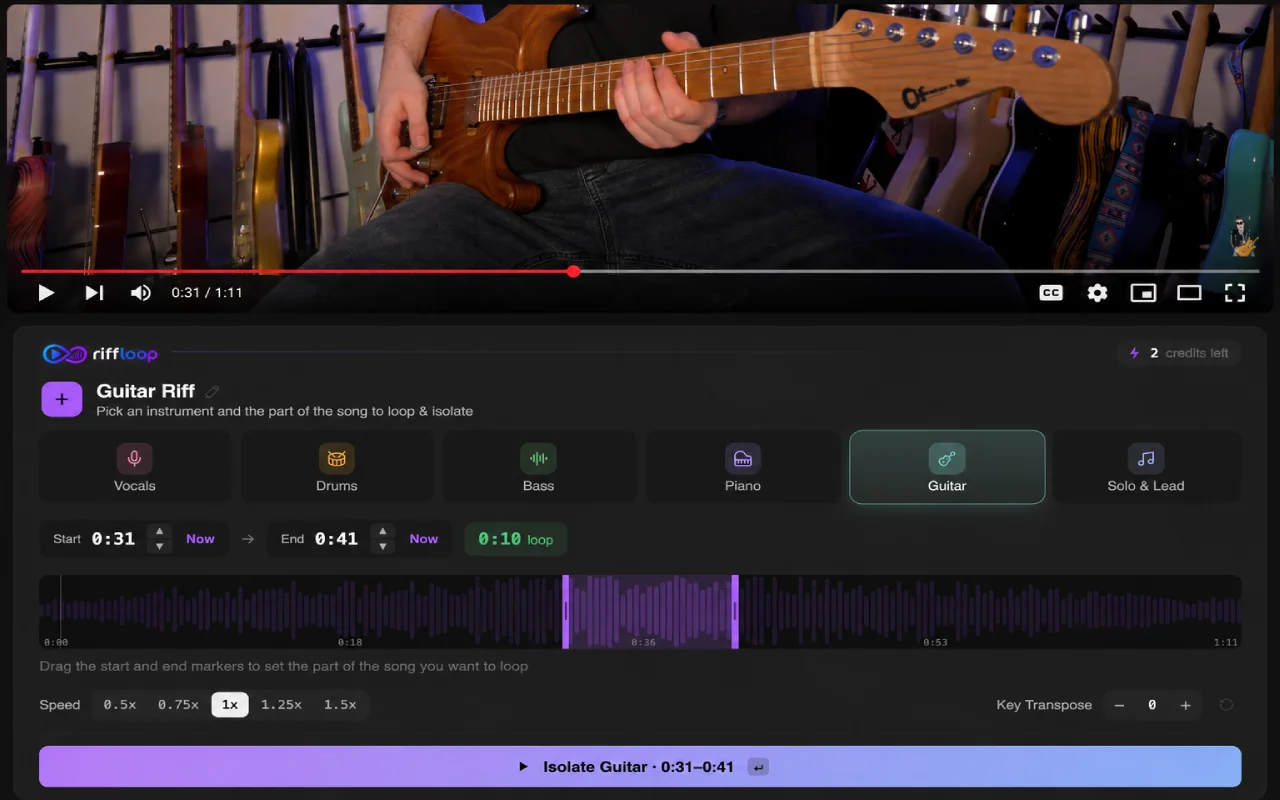
Find the Key That Fits Your Voice
If a song sits too high, start by dropping it two or three semitones and sing the chorus — the highest, loudest part. Nudge the key down or up a semitone at a time until you can hit those notes without straining.
How far you shift depends on your voice, so treat these as starting points and confirm by ear:
- ⬇️ Song too high? Drop it 2–5 semitones, then sing the chorus.
- ⬆️ Song too low? Nudge it up 1–3 semitones until it has energy again.
- 🎤 Lower voices (bass, baritone, alto) often pull a pop song down 3–5 semitones.
- 🎵 Higher voices (tenor, soprano) usually need a smaller move, and sometimes a shift up.
Everyone's range is different, so there's no universal number — the point of the slider is to find yours one semitone at a time, without re-recording or re-rendering anything.
- 🎤 Re-key a cover into your range
- ⛪ Move a worship song for the congregation
- 🎶 Match a karaoke track to your voice
- 🎸 Shift to a friendlier key to play
- 🎹 Transpose a backing track for a lesson
- 👂 A/B two keys to hear which sits best
Re-Key It, Then Actually Learn It
Changing the key is one control inside a full practice studio. Once a song's in your key you can slow it down (the pitch stays put), A-B loop the hard bar, and even isolate or mute a part with the stem splitter — all in the same session.
Use it in the Riffloop Studio on your own uploaded files, or the same way right inside a YouTube video — wherever your music lives. See what's free and what Pro adds →
Think of It Like a Capo You Can Slide Both Ways
On a guitar, one fret is one semitone — so a capo on the 2nd fret raises a song two semitones. Riffloop's slider does the same thing to the recording, in both directions: up to brighten and raise it, down past where a capo can go.
- 🎸 One semitone = one fret = one capo position
- 🎚️ Tuned a half-step down? Set the recording to +1 to play along
- 🎵 Tuned a whole step down? Shift the track +2 to match your strings
- 🎹 Move a song into an easier key to play or sing
Riffloop shifts the audio, not the chord chart, so you stay in the shapes you already know while the track meets you there.
Riffloop vs. YouTube & a Pitch Extension
| Feature | Riffloop | YouTube (native) | Pitch extension |
|---|---|---|---|
| Change a song's key (transpose) | ✓ | ✗ (speed only) | ✓ |
| Keeps the tempo identical | ✓ | — | ✓ |
| Works on streaming and your own files | ✓ | ✗ (YouTube only) | varies |
| Solo or mute a single instrument | ✓ | ✗ | ✗ |
| Full practice studio (key + slow + loop + stems) | ✓ | ✗ | partial |
| Runs on your device | ✓ | — | varies |
| Price | Free / Pro from $5.95/mo | Free | Freemium |
Built for Singers and Players
Anyone who needs a song in a different key — to sing it, play it, or teach it. Perfect for:
Riffloop Song Key Changer, in One Table
| What it does | Transposes a song up or down in semitones, tempo locked |
|---|---|
| Works on | A YouTube link, your own audio file, or the Riffloop Studio |
| Audio formats | MP3, WAV, M4A, FLAC, OGG, AAC |
| Privacy | Runs on your device; nothing is uploaded |
| Also includes | Slow-down (pitch kept), A-B looping, stem isolation |
| Price | Free; Pro from $5.95/mo |
| Where | Chrome extension and web Studio |
Frequently Asked Questions
How do I change the key of a song without changing the tempo?
Riffloop's key changer shifts the pitch in semitones while the tempo stays locked, so the song moves into a new key without getting faster or slower. Load a YouTube link or a file, drag the key slider up or down, and the timing stays exactly the same.
Can you change the key of a song on YouTube?
Not with the native player — YouTube only has a playback-speed control, not a key or pitch control. Riffloop adds true transposition on top of a YouTube link, so you can shift a song into your key without installing a separate browser extension.
How do I find the best key for my voice?
Start by shifting a song that sits too high down two or three semitones, then sing the chorus — the loudest, highest part. Keep nudging the key down or up a semitone at a time until you can hit those notes comfortably without straining.
How many semitones should I transpose a song?
Most singers only need to move a song one to four semitones to fit their range. Staying within about six semitones in either direction keeps the sound natural; bigger shifts still work but soften the audio slightly.
Does changing a song's key affect the sound quality?
Within a few semitones the song sounds natural and clear. Large shifts soften the audio a little, as with any pitch-shifting tool, but it stays easy to sing or play along to — and the tempo and timing are never affected.
What's the difference between transposing and pitch shifting?
For changing a song's key they mean the same thing here: both move every note up or down by the same amount so the song lands in a new key. Riffloop does it in semitone steps, the same way a musician would transpose a piece on paper.
Is a key changer the same as a pitch changer?
Yes — for changing a song's key they're the same tool. A pitch changer (or pitch shifter) moves every note up or down by semitones, which is exactly what transposing a song to a new key does. Riffloop shifts the pitch while keeping the tempo, so the song simply lands in a new key.
Is the song key changer free, and do I need to install anything?
The key changer is free to use. Riffloop runs in your browser as a Chrome extension and a web Studio — nothing is uploaded and there's nothing to install beyond the free extension. Pro unlocks more from $5.95/month.
What is a semitone, exactly?
A semitone is the smallest step in Western music — one fret on a guitar, or one key on a piano counting the black keys too. Twelve semitones make an octave. Riffloop shifts a song by whole semitones at a time, which is exactly how you'd transpose it into a new key.
How do I transpose a song for guitar, and what's the capo equivalent?
One semitone equals one fret, so shifting a song up two semitones in Riffloop matches a capo on the 2nd fret — except the key slider also goes down, past where a capo can reach. Riffloop shifts the recording's pitch, not your chord shapes, so you stay in the chords you already know while the track meets you in that key.
Can you change the key of a song on Spotify or Apple Music?
No — streaming players have no key or pitch control. To re-key one of those songs, open it as a YouTube link or upload the file to Riffloop, which transposes it in semitones with the tempo locked.
Can I change a song's key on a Chromebook or my phone?
On a Chromebook, yes — Riffloop runs in a Chromium-based browser (Chrome, Edge, Brave, Arc or Opera), so it works on a Chromebook or any desktop with one of those browsers. It's a browser tool and web Studio, not a separate app to install, so there's no native iOS or Android app — use it in a desktop or Chromebook browser.
How do I change the key of an MP3 file?
Upload the MP3 to the Riffloop Studio (WAV and FLAC work too) and drag the key slider. The song moves up or down in semitones while the tempo stays locked, right in your browser, and the processing runs on your device.
Is there an app to change the key of a song?
Riffloop works as a browser app: a Chrome extension that changes the key of any YouTube song in place, and a web Studio for your own files. There is nothing to download beyond the extension, and it runs on Mac, Windows and Chromebooks.
More ways to practice with Riffloop: split a YouTube song into separate stems, solo or mute vocals and instruments with the stem splitter, or slow a track down and A-B loop the hard part in the Studio — all on-device, nothing uploaded.
Put Any Song in Your Key
Transpose a song to fit your voice, keep the tempo exactly as it was, and sing along. Install Riffloop and re-key any song in seconds.